
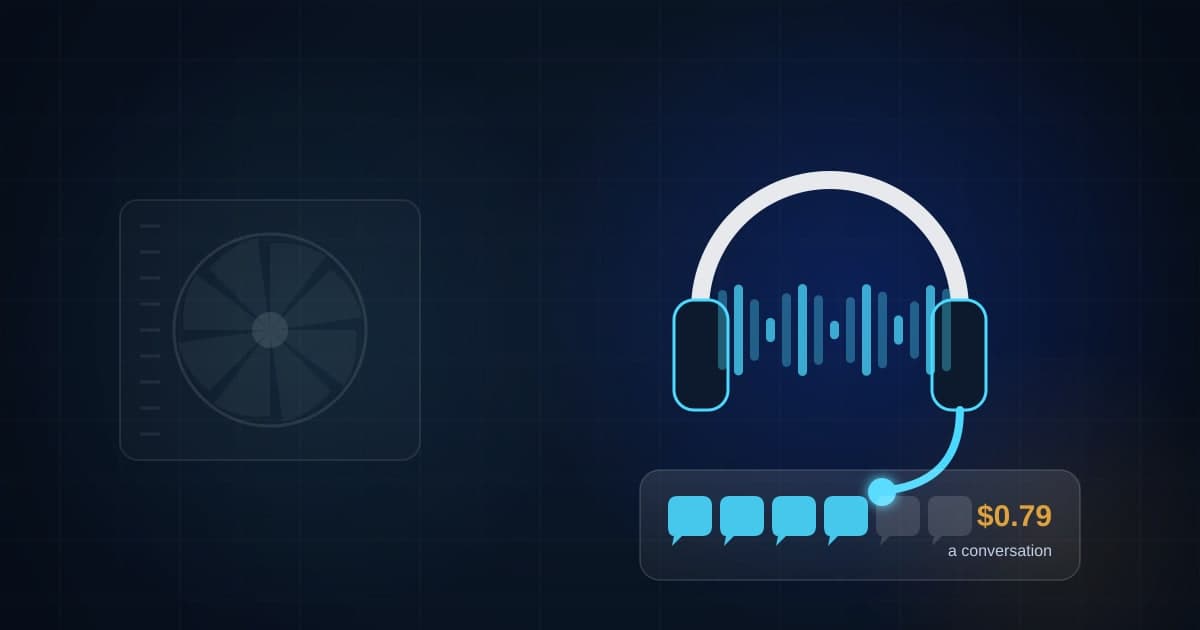
Every field service platform now sells an AI that answers your phone. Jobber's add-on, when FitMyCall read the price in September 2026, was $29 a month for 30 conversations and 79 cents for every conversation after that, on top of the Jobber plan itself. Housecall Pro and ServiceTitan have their own. So do a dozen standalone companies that will call you after you read this.
I set up phones for service businesses, and I have one of these answering a line right now. So here is the math nobody puts on the pricing page, what a good AI answer actually sounds like, and when a sixty-second text does the same job for a fraction of the cost.
The pricing page versus the summer bill
What Jobber's AI receptionist costs at three call volumes
Monthly add-on cost: $29 for 30 conversations, then $0.79 per conversation. Requires a Jobber plan on top.
Covered by the base fee.
$29 plus 70 at $0.79.
$29 plus 270 at $0.79. Plus the Jobber subscription itself.
| Item | Value |
|---|---|
| 30 conversations a month (slow month) | $29 |
| 100 conversations a month | $84.30 |
| 300 conversations a month (summer) | $242.30 |
Source: Jobber add-on pricing as read by FitMyCall on September 4, 2026 ($29 a month for 30 conversations, $0.79 each after). The volume math is ours. Jobber's Plus plan includes the receptionist with unlimited use at a higher monthly price.
Thirty conversations a month is a slow month for a one-truck shop and a slow day for a busy one. At 100 conversations the add-on is about $84. At 300, which is a normal July for an HVAC company in Texas, it is about $242, plus the platform subscription underneath. Jobber includes unlimited use on its higher plan, which is a different bill.
None of those numbers are unreasonable. They are just not $29. Price the volume you actually get in your busiest month, because that is the month you need it.
The cost of saying nothing
The comparison that matters is not AI against free. It is AI against what silence already costs you.
What a month of missed calls costs next to any answering option
A worked example: 40 missed calls a month, 30 percent close rate, $650 average ticket.
40 calls, 30 percent would have booked, $650 each.
A typical business texting line. It answers in seconds but it does not book.
Also does invoicing, scheduling and the hard calls.
| Item | Value |
|---|---|
| Revenue walking out the door from 40 missed calls | $7,800 |
| AI receptionist at 100 conversations | $84 |
| Text-back on your business line | $25 |
| Part-time office hire, one month, loaded | $2,250 |
Illustrative arithmetic only. Source: arithmetic in this article. Missed-call counts, close rate and ticket are practice numbers for your calculator to replace.
Practice numbers, and the chart says so. Forty missed calls a month, three in ten of which would have booked a $650 job, is $7,800 of work that went to whoever answered. Against that, every option on the chart is cheap. The question is which one fits your volume and your customers, and the calculator below will tell you where a system and a person cost the same.
Compare a person on the phone with a system on the phone, in dollars
The honest comparison is not AI against nothing. It is AI against the dispatcher or office hire you would otherwise make, against the share of calls each one can handle. Put in the loaded cost of the hire, the one-time cost to set a system up, its monthly cost, and the share of the work a system can really do. The calculator shows the break-even. It cannot tell you how your customers feel about talking to a machine, so read the section on that before you decide.
What to score
Your score
Under 80 percent coverage you still need a human for the judgment calls. Build the system for the repetitive part and hire smaller.
A system does not call in sick, but it also does not solve a problem it was never built for. Best answer is usually both: build the repeatable part, hire for the rest.
What this assumed
- Assumes the system covers the share of the work you enter, and that the rest still needs a person.
Runs in your browser. Nothing you type is sent anywhere.
How to run it, step by step
- 1Use the loaded cost of the person, not the wage. Wage plus payroll taxes, plus the hours they are paid when the phone is quiet. A part-time office hire at $18 an hour, 25 hours a week, is roughly $27,000 a year loaded. Use your own number.
- 2Enter the real cost of the system. Setup is the one-time cost to connect it to your phone line, your calendar and your lead list. Monthly is the subscription plus the per-conversation charges at the volume you actually get, not the included 30.
- 3Be honest about the share a system can handle. An AI can book a maintenance visit, take a message, and give a price range. It cannot talk a scared homeowner through a gas smell or decide whether to send the truck tonight. For most service companies the honest share is 50 to 70 percent of call volume, not 100.
How to read what it gives you
- The break-even is the number of calls a month where the system and the person cost the same. Below it, a text-back and your own phone may be enough. Above it, the system pays for itself even before you count the calls it saves.
- If the share a system can handle is low, the calculator will tell you to hire. Believe it. A machine that mishandles emergencies costs more than it saves.
- The best setup for most shops is both: a system that answers instantly and books the routine calls, and a person who gets the hard ones.
The tool is free, it does not expire, and you can put it on your own website if you want it there. Nothing on this page is locked.
Not ready to talk? Browse the rest of the free tools
And there is a new line on this bill since October 1. Google's Local Services Ads now charges you for a business-hours call you did not answer if the caller holds past 20 seconds. We covered it in Google Local Services Ads now bills you for missed calls. If you run LSA, a ring that goes to voicemail is now a lead charge plus a lost job.
What a good AI answer sounds like
Most of these systems ship with a script written by someone who has never dispatched a truck. Rewrite it. Here is the shape we use.
Say who they reached in the first sentence. "You've reached Nichols Heating and Air in Longview." Not a greeting, not "thank you for calling," the name. Callers decide in two seconds whether they dialed right.
Say it is an assistant and that a person will call back. "I'm the scheduling assistant. I can book a visit now or have a technician call you back within the hour." Never let it pass for a human. People forgive a machine that says so and resent one that does not.
Ask the three things, in order. What is going on, where, and when they want someone. That is enough to book or to triage.
Give a range, not a quote. "Service calls are $89 and most repairs run $250 to $900 depending on the part." A range answers the question customers actually have. A firm number on work nobody has seen is a promise you will break.
Hand off emergencies instantly. Gas smell, water coming in, no heat with a baby in the house. The script should hear those words and ring a human. If the human does not pick up, the system texts the caller and rings the next human. No machine should ever be the last stop on an emergency.
Confirm by text. Whatever was booked or promised, the caller gets a text with it before they hang up. Now the conversation lives on your line, where you can see it.
When a text-back is enough
For a shop with a handful of missed calls a day and an owner who returns them inside the hour, a text-back does most of the work for almost nothing. The text arrives while the caller is still holding the phone. It says who you are and that you will call back by a time. Most people wait.
Add the AI when the routine calls (book a tune-up, reschedule Thursday, what do you charge) outnumber the ones that need a human, or when you are missing calls faster than one person can return them. That is a volume question, and the calculator is how you answer it.
When to hire instead
If the share of calls a machine can handle is low in your business, because your calls are complicated or your customers are older and hate menus, the calculator will tell you to hire, and it will be right. A part-time office person also does invoicing, scheduling, and the hard calls. The best setup we see at growing shops is both: the system answers in seconds and books the routine, the person gets the rest and the whole day's list.
What this does not fix
An AI receptionist that books a visit nobody shows up for is a new kind of missed call. The system has to land on a calendar someone owns and a lead list someone works. And it does not fix a line nobody registered: if your business texts are not registered with the carriers, the confirmation texts will not arrive and you will not know. The Texas texting checklist is in the texting checklist for a Texas business owner.
The bottom line
An AI answering service costs more than its pricing page says and far less than the calls you are missing. Price it at your busiest month, rewrite the script so it says who you are and hands off emergencies, start with a text-back if your volume is small, and put the whole thing on a phone line and a lead list you own. The form above is how you ask us to set it up. The calculator is how you check the math first.
Questions people actually ask
How much does an AI answering service cost for an HVAC company?
The add-on from Jobber was $29 a month for 30 conversations and $0.79 for each one after that when FitMyCall read the price in September 2026, on top of a Jobber subscription. Other field service platforms price their own versions differently, and standalone AI receptionists range from tens to several hundred dollars a month depending on minutes. Work out your real monthly volume before comparing, because the per-conversation charges are where a summer bill lives.
Will customers hang up on an AI?
Some will, and more will hang up on a voicemail. The ones who stay are the ones who get a useful answer in the first sentence: who they reached, that a person will call back, and the chance to book or leave details. Keep the script short, make it easy to reach a human, and never let the AI pretend to be one. Texas also has an AI law in effect this year that touches disclosure in some settings, so ask a lawyer if you are in healthcare or deal with sensitive data.
Is a text-back enough instead of an AI receptionist?
For a lot of small shops, yes, for now. A text inside a minute that says who you are and what happens next keeps most callers from dialing the next company, and it costs almost nothing. Add an AI receptionist when the volume of routine booking calls is large enough that a person cannot keep up, or when Google's new Local Services Ads rule means every call that rings through to voicemail during business hours costs you a lead charge.
What should the AI never handle?
Anything that smells like an emergency: gas, flooding, no heat with an infant in the house. The script should recognize those words and ring a human immediately. It also should not quote firm prices on work it cannot see, promise arrival times nobody confirmed, or take payment. Those are the calls that build or break your reputation, and a machine should hand them off.
Where these numbers come from
- FitMyCall: Jobber AI Receptionist pricing (prices read September 4, 2026)
- PPC Land: Google LSA advertisers face missed call charges from October 1 (September 25, 2026)
Our own figures come from the lead records of businesses we run systems for, counted in total and never by name.