
Who it is for
Anyone who suspects their website is not pulling its weight.
Websites and Digital · Scorecard · Free
Twenty self-reported checks to help review whether a visitor can understand and contact your business. Pull your site up on your phone and go down the list honestly.
Runs in your browser. Nothing to install. Save the result or embed it on your site.

| # | Do this |
|---|---|
| 1 | Compress images and cut plugins until it loads under 3 seconds |
| 2 | Pick one action and make it the loudest thing on the page |
| 3 | Say what you do and who for, in the first sentence |
| 4 | List the towns you serve, by name |
| 5 | Move reviews above the fold |
| 6 | Replace stock photos with your actual work |
| 7 | Cut the form to name, phone, and what they need |
| 8 | Add hours and service area |
| 9 | Get an SSL certificate, most hosts do it free |
| 10 | Link and claim your Google Business Profile |
| 11 | Add a map and directions link |
| 12 | Add starting-at pricing so you stop quoting tire kickers |
| 13 | Write out the five questions everybody asks |
| 14 | Add texting, most people prefer it |
| 15 | Let people book a time without calling |
| 16 | Update it, an old site reads as a closed business |
| 17 | Fix page titles to include the service and the town |
| 18 | Add basic analytics so you know what is working |
Use the missing items as a review list. Some changes need implementation work; verify that each change fits your business.
Runs in your browser. Nothing you type is sent anywhere.
Anyone who suspects their website is not pulling its weight.
Most small business sites look fine and do nothing. The gap is never design, it is the basics nobody checked.
A score, a grade, and a list of exactly what to fix first.
Answer honestly. The score only helps if the inputs are true.
Keep learning
See how this tool fits a practical task, with a guide you can follow at your own pace.
Free forever. I host it. You keep it.
This is a real lead magnet you can run on your own site tonight. Somebody lands on your page, plays with the numbers, sees what their problem costs, and now they are on your website instead of a competitor's. Costs you nothing, and I keep it working.
WordPress, Wix, Squarespace, Shopify, GoDaddy, Webflow, Duda, HubSpot, ClickFunnels, or plain HTML. Anywhere that takes an embed code.
Nothing. No monthly fee, no expiring trial, no watermark you have to pay to remove. If you get stuck putting it in, text me at (903) 500-8898 and I will help you place it.
 FreeWebsites and DigitalScorecardGoogle Business Profile ScorecardMake your local listing easier to find and useReview your business details, customer contact options, photos, and review routine. Get a practical checklist from y...Score it now
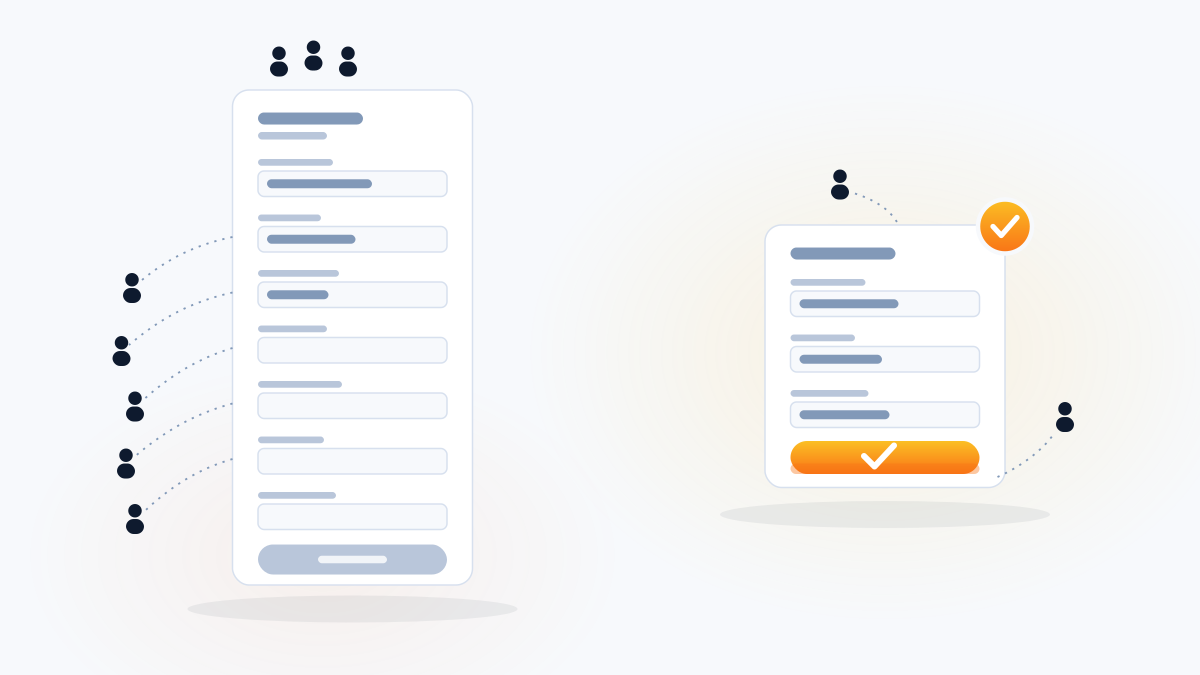 FreeWebsites and DigitalCalculatorForm Field Friction CalculatorExplore a form-length scenarioCompare form lengths using an explicit illustrative completion curve. The output is a scenario, not measured lost le...Calculate it now
 FreeWebsites and DigitalCalculatorSlow Website Cost CalculatorExplore a hypothetical speed scenarioCompare an illustrative speed-retention curve with a two-second scenario. This is not a measurement of lost customer...Calculate it now
 FreeWebsites and DigitalCalculatorMobile Visitor Loss CalculatorMost of your visitors are on a phoneIf your site is awkward on a phone, most of your traffic is having a bad experience. See what that costs.Calculate it now
One useful tool is the proof
A five-page site built to capture leads and follow up, in accounts you own. The result is a working site, not a promise of leads.